
When we browse the internet, we all have so many inputs, Endrec helps us make decisions once and forget. We stay in control, not websites, not algorithms. A simple and elegant way to decide what we want, and stop being pulled by distractions.
- Chrome and more
Endrec now works for Chrome browser. If users ask for it, I’ll bring Endrec to Brave, Safari, and more. There are many more features I want to build. But first, I'll listen to what users want most.
- How it looks
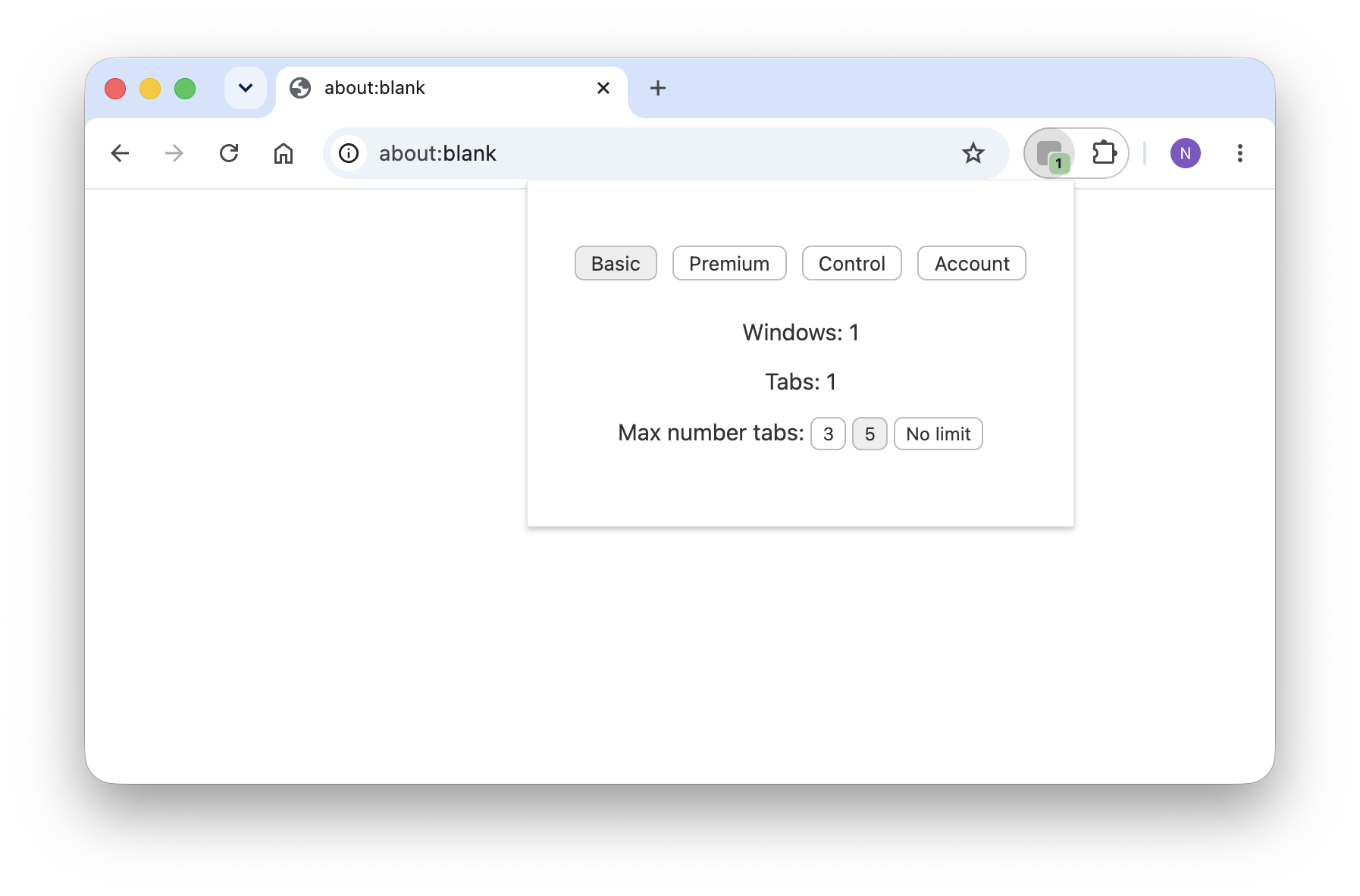
- Number of Windows and Tabs
- Badge with the number
- Limit the number of tabs to 3, 5 or no limit
- Number of Windows and Tabs
- Badge with the number
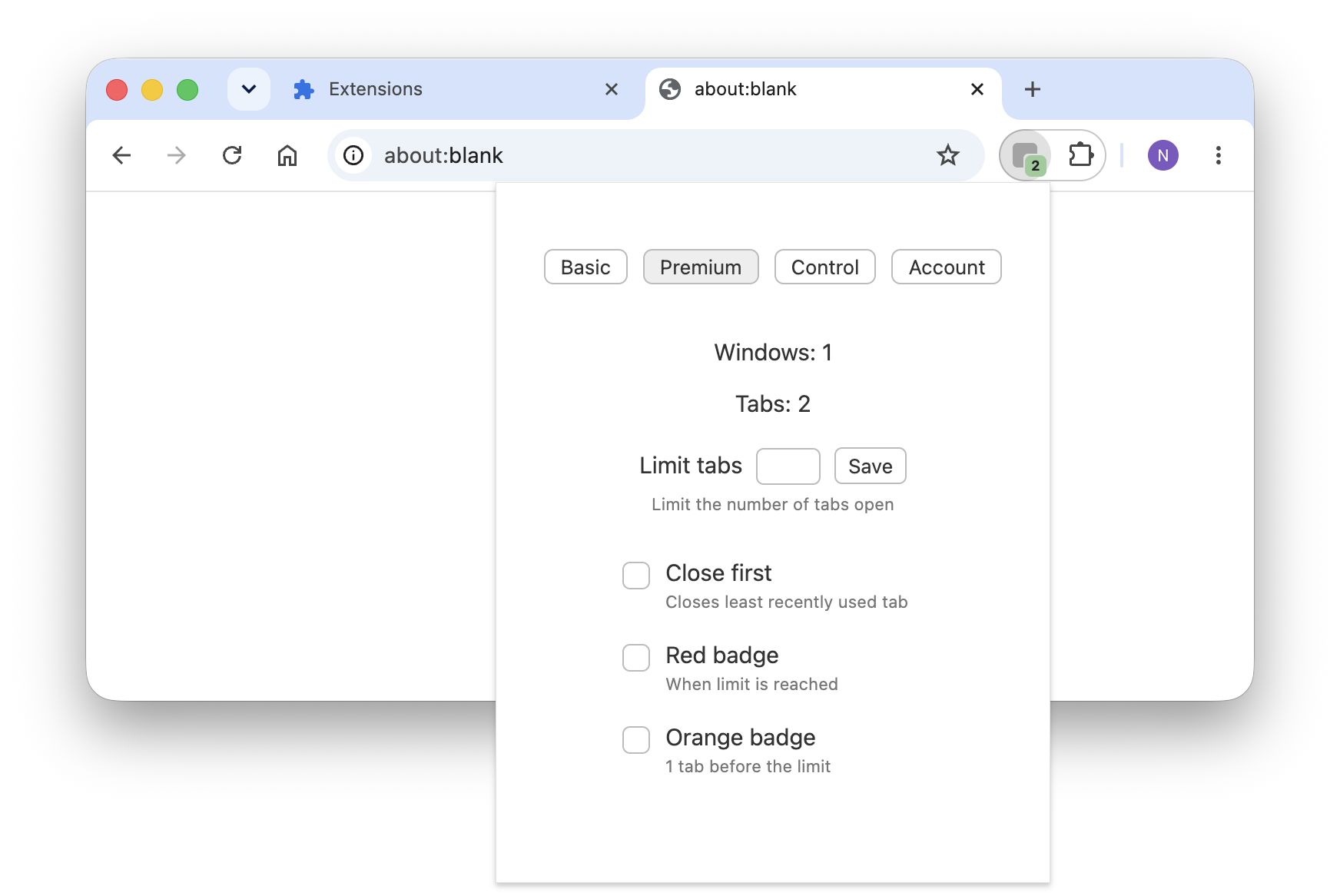
- Limit the tabs the number you want
- Close the first tab when limit reached
- Red badge when limit reached
- Orange badge 1 tab before the limit
- Early access to new features
- Control Center: open, close, go to windows and tabs
- Dedicated support
- How to
Windows and Tabs Number
Always visible. Beside address-bar

1- Get Endrec from the Chrome Web Store
https://chromewebstore.google.com
2- Click the Extensions icon in Chrome

3- Pin Endrec to have the number of Windows and Tabs always visible

- Origins
I built this to solve my problem. I frequently have so many browser windows and tabs that it is confusing.
I use a Mac and I always have windows open in different Spaces, which are like virtual desktops. I love Spaces, but it isn't easy to have control over what I have in each one.
With Endrec, I first decide how many windows I want and then I browse freely. Things are more organized.
- The name
I wanted a name that was short, easy to pronounce in different languages, and that could suggest but not explain the functionality.
Endreç (yes! with the final ç) is a Catalan word that means something like tidy or organized in English. To make it easy in other languages and Internet URLs, I changed the "ç" to a standard "c"
I like the ç, an uncommon letter that’s part of my culture — and a piece of identity I’m proud of.